Stream with NDI+OBS
The SRT feature in Avid is still very new so for best performance we recommend using NDI together with the OBS software instead. It requires a bit more setup but has better latency and reliability.
Sign up here to receive your login credentials if you don't already have them.
-
Download and install OBS here.
-
Download and install NDI support for OBS.
-
Download and install NDI tools.
-
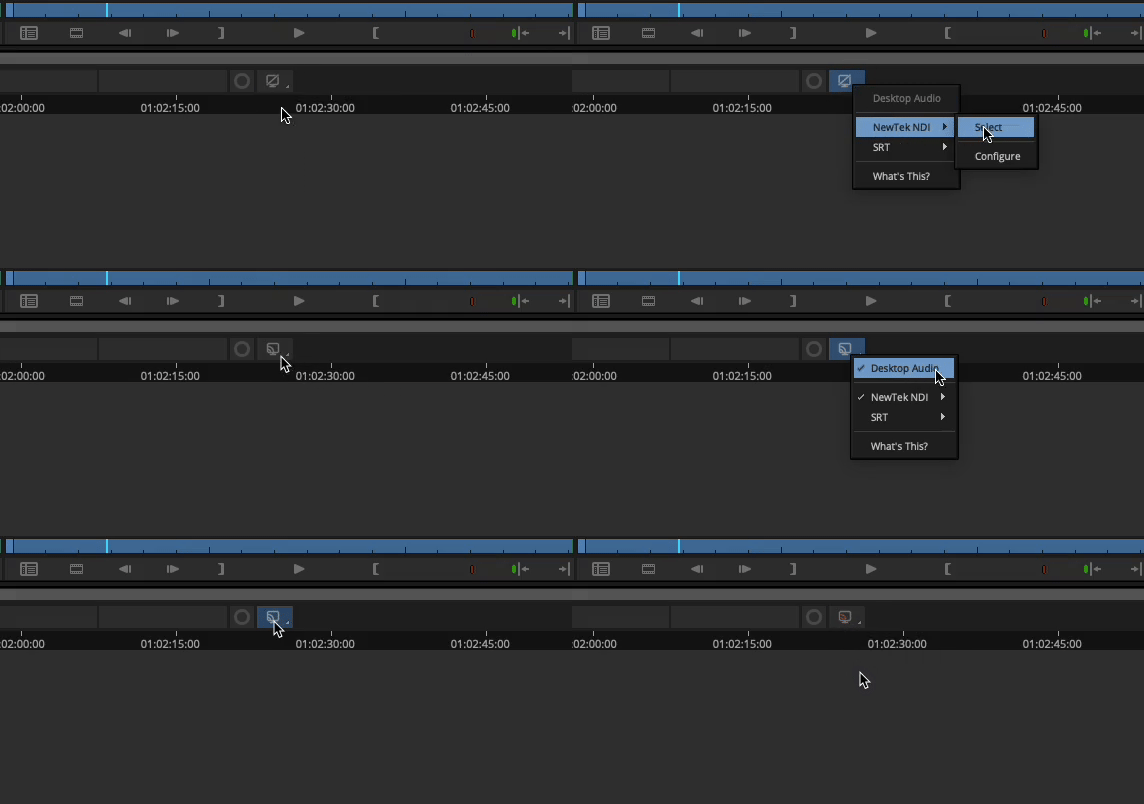
Open Avid and turn on NDI output and Desktop Audio. Then click the icon so it flashes red to start streaming.
- Open OBS and select NDI as the input source by clicking the + sign.
- In the NDI source settings, select Avid.
OBS Configuration
Now that you have NDI set up as your input source, follow the instructions from our OBS SDR Streaming guide starting from the "Configure Stream Settings" section.
How to Watch
For detailed instructions on viewing your stream, see our How to Watch guides.