Autodesk Flame
The new NDI feature in Flame enables you to stream without a hardware encoder. However, the resolution and compression is a lot worse than what the hardware encoder provides. But it can be a good way to try the platform before getting the encoder.
Sign up here to receive your login credentials.
Set up instructions for Flame Mac
- Set NDI as your video and audio output in Flame Setup and Preferences.
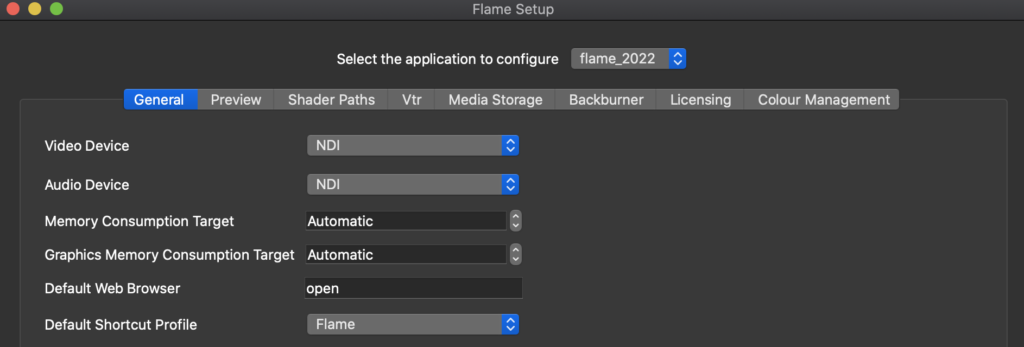
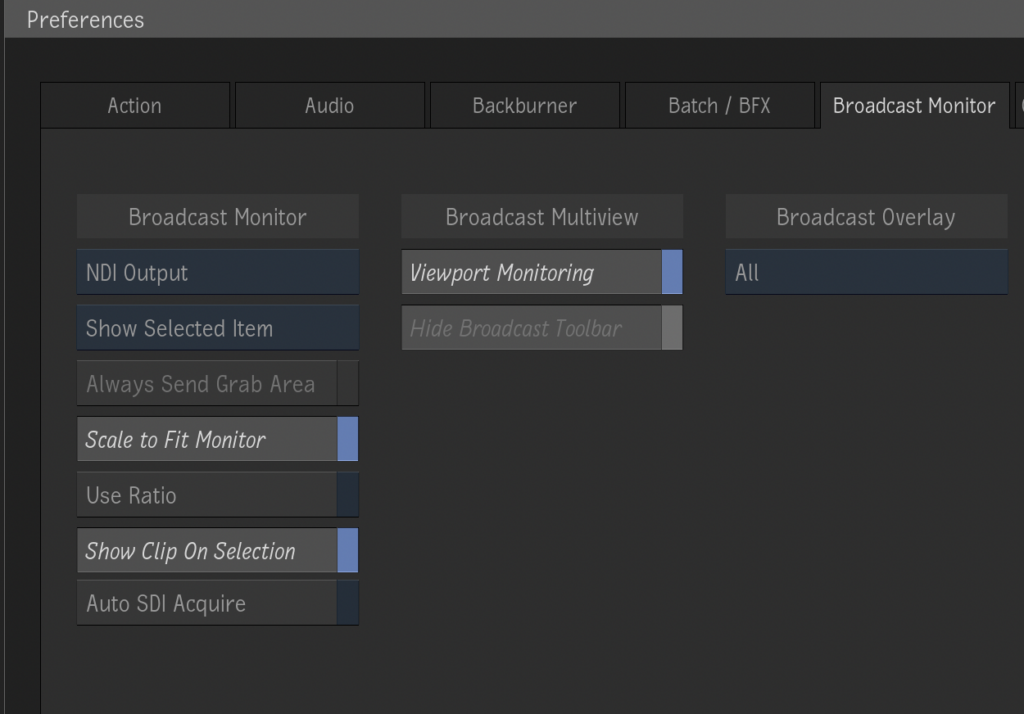
-
Download and install NDI tools here.
-
Open "NDI Virtual Input" from your Applications folder.
-
In your taskbar, select NDI and choose your Flame out.
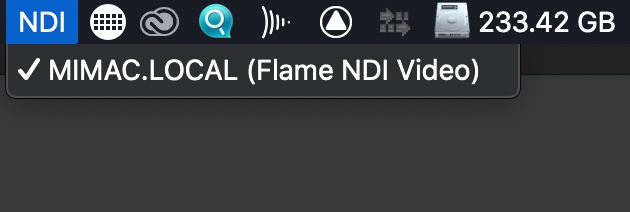
-
Download and install the latest OBS version here.
-
Install the NDI Plugin for OBS
-
Open OBS and add NDI as the input source.
- In the NDI source settings, select your Flame output.
OBS Configuration
Now that you have NDI set up as your input source, follow the instructions from our OBS SDR Streaming guide starting from the "Configure Stream Settings" section.
How to Watch
For detailed instructions on viewing your stream, see our How to Watch guides.